 FreeUpDisk
How to find large files on Mac
Finder searches one folder and skips your library. A whole-volume scan ranks every file, wherever it sits.
macOS 12 or later · one email when it ships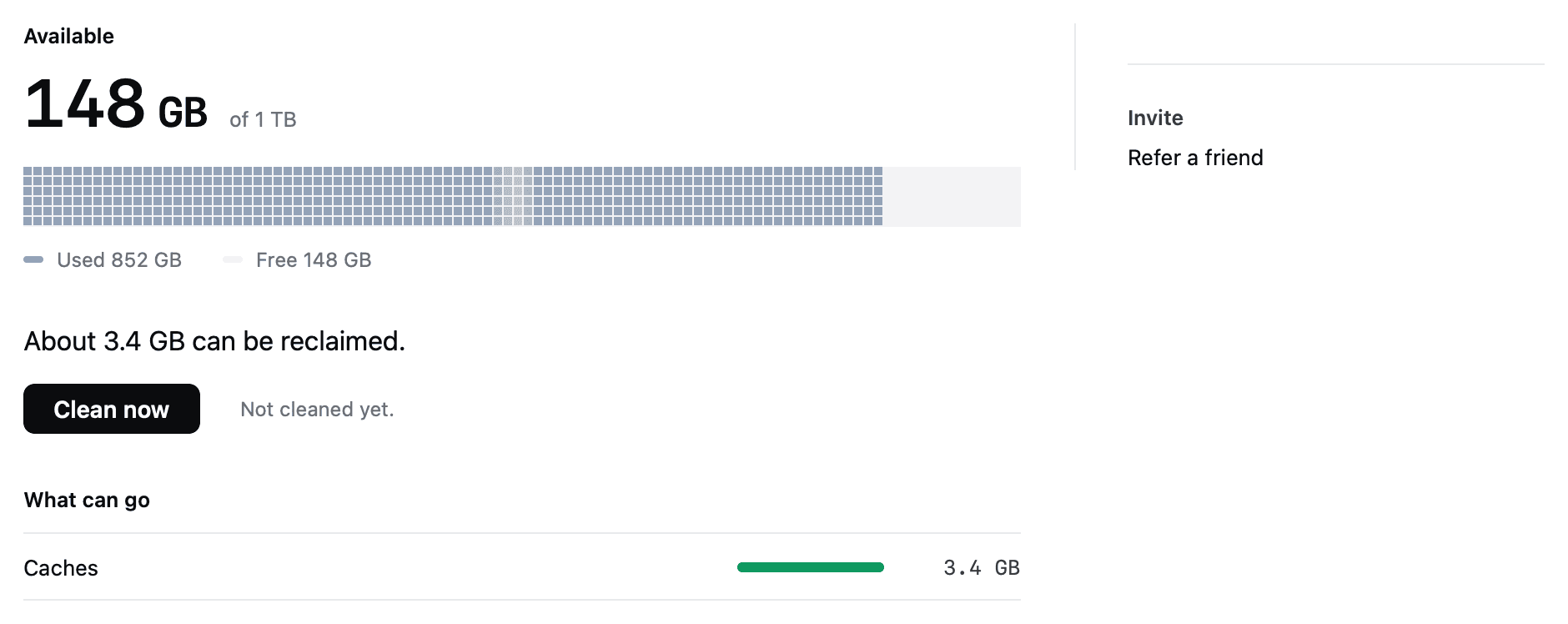
Why FreeUpDisk is safe to install
- permission
- macOS will not let any app grant itself Full Disk Access.
- scope
- Clears three folders. Everything else is off limits.
- recovery
- Removed items stay recoverable for 30 days.
- architecture
- One function in the whole app can delete a file.
- price
- Scanning is free. No account needed to clean.
Every file on the disk, ranked
One pass, sorted by size, hidden folders included. Green rows regenerate on their own if you remove them.
Illustrative result from a working Mac, not a measurement of yours. Your own numbers come from the scan, which is free.
Finder and Terminal, and where they stop
Finder’s size filter
Press Command-F, click your Mac name, add a File Size filter set to is greater than 500 MB. Save it with File, New Smart Folder. It costs nothing and works well when you already know roughly where the file is.
The du command
du -ah ~ | sort -rh | head -20 prints the twenty largest items in your home folder. It mixes files with their parent folders and floods the screen with permission errors on directories your user cannot read.
Sorted once, then kept clear
Clean now, from the menu bar
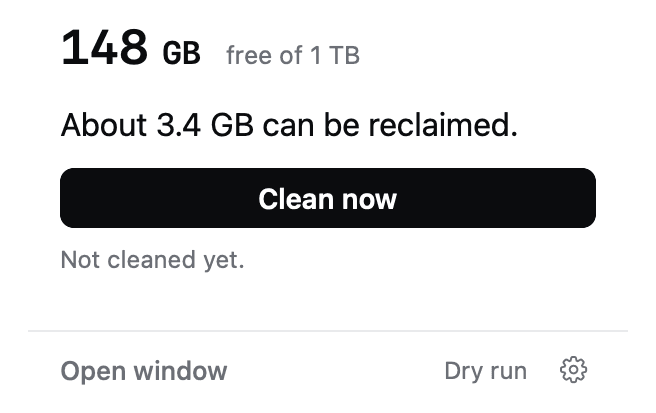
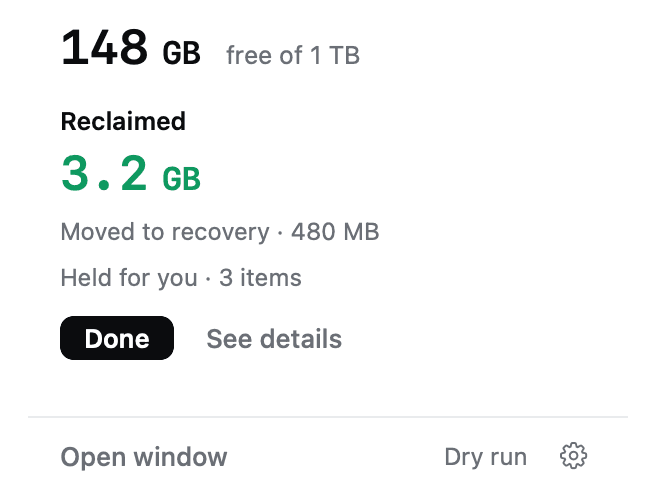
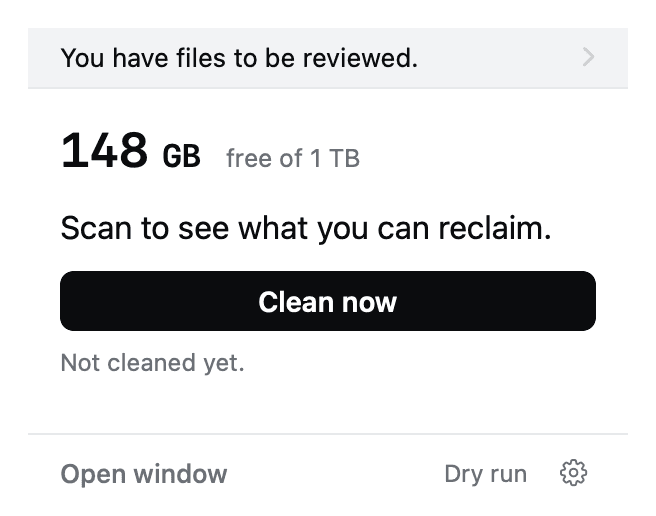
The popover shows free space, what is reclaimable, and one button. The full window is there when you want the ranked list.
The big ones wait for your decision
Large installers, build output and old backups are found and explained. FreeUpDisk never removes them on its own, so nothing large disappears without you.
Which large files are safe to delete
| What it is | Where it lives | Typical size | How FreeUpDisk treats it |
|---|---|---|---|
| Application caches | ~/Library/Caches | 10-30 GB | Cleared automatically |
| Old installers (.dmg, .pkg, .xip) | ~/Downloads | 2-15 GB each | Found, your call |
| Xcode DerivedData | ~/Library/Developer | 20-60 GB | Found, your call |
| Old iOS device backups | MobileSync | 8-40 GB | Found, your call |
| Video project bundles | ~/Movies | 20 GB and up | Never eligible |
| Photo libraries | ~/Pictures | 20 GB and up | Never eligible |
Only the first row is cleared automatically. Everything marked your call is found, explained and left in place until you decide.
Finder cannot see the biggest folders
Finder search skips ~/Library, and that is where build caches, app support data and iOS backups live.
Finder measures files, not folders, so a 40 GB folder of small files never shows in a size search.
The du command works and prints the same gigabytes four times at four levels of nesting.
A whole-volume scan ranks every file once, in one pass, with the hidden folders included.
Your files are never eligible
FreeUpDisk can only act on paths on a compiled-in list. Anything else, including anything it does not recognise, is untouchable.
/System, iCloud Drive, Keychains, Mail and running apps are refused even if you ask. There is no advanced mode.
Exactly one function in the core can move or delete a file, and every candidate passes seven checks to reach it.
Runs on macOS 12 and later
- system
- macOS 12+
- chip
- Apple silicon
- scan
- Free, read-only
- first cleanup
- Free
- status
- Early access
Finding large files on Mac, answered
How do I find large files on my Mac?
Open Finder and press Command-F, click the plus button, change the first filter to File Size, set it to is greater than, and enter 500 MB. Click your Mac name below the search bar so Finder searches the whole machine rather than the current folder. Finder still skips hidden library folders, so a disk scanner finds more.
How do I find files over 1 GB on a Mac?
Use the same Finder search and set the File Size filter to 1 GB. Choose File, New Smart Folder to save it, and the search refreshes every time you open it. Sort the results by the Size column to work down from the largest.
Why does Finder not show my biggest files?
Finder search excludes ~/Library by default, and that folder holds build caches, application support data and iOS device backups. Finder also reports file sizes rather than folder sizes, so a 40 GB DerivedData folder made of thousands of small files never appears in a size-filtered search at all.
What is the Terminal command to find large files on Mac?
Running du -ah ~ | sort -rh | head -20 prints the twenty largest items in your home folder, biggest first. The output mixes files with the folders that contain them, so the same 84 GB appears at four levels of nesting, and directories your user cannot read fill the screen with permission errors.
Which large files are safe to delete on a Mac?
Installers in ~/Downloads once the software is installed, Xcode DerivedData, and iOS backups for devices you no longer own. macOS or Xcode rebuild all three. Photo libraries, video projects and documents are not cleanup candidates, and FreeUpDisk excludes them by a hardcoded rule so they cannot be selected by accident.
Does FreeUpDisk delete the large files it finds?
Not on its own. FreeUpDisk clears only application caches, logs and Trash older than 30 days automatically, because macOS rebuilds those. Large installers, DerivedData and old backups are found, explained and left for you to decide on. Anything you do clear stays in Recovery for 30 days.
Is FreeUpDisk free for finding large files?
Scanning with FreeUpDisk is free every time, with the complete sorted file list and no size cap, because the scan is read-only. Cleaning uses credits called Sweepers and the first cleanup is free. There is no subscription.
More ways to reclaim Mac disk space
The big ones, in one list
Every file on the volume ranked by size, with the folders Finder refuses to search included. The scan is free.
macOS 12 or later · Apple silicon