 FreeUpDisk
Free disk space analyzer for Mac
Maps every folder on the volume, including the ~/Library caches and iOS backups Finder keeps out of sight.
macOS 12 or later · one email when it ships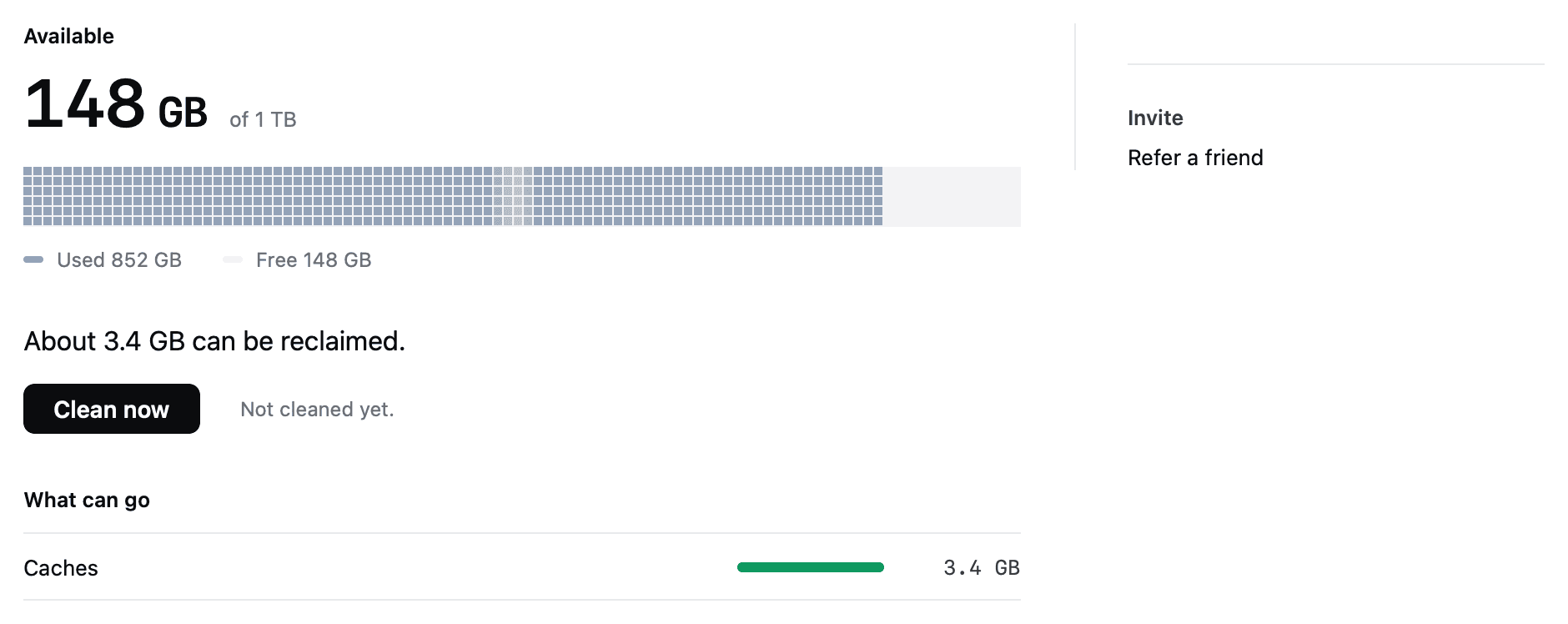
Why FreeUpDisk is safe to install
- permission
- macOS will not let any app grant itself Full Disk Access.
- scope
- Clears three folders. Everything else is off limits.
- recovery
- Removed items stay recoverable for 30 days.
- architecture
- One function in the whole app can delete a file.
- price
- Scanning is free. No account needed to clean.
It reads the folders Finder hides
Indentation is depth. The tag on the right is the permission that level needs.
Reading is not removing. Everything above is what the scan can measure. What FreeUpDisk clears on its own is a much shorter list.
What it finds, and what it clears
Apps write here and almost none clean up after themselves.
~/Library/CachesCrash reports and diagnostics from apps you removed years ago.
~/Library/LogsDeleted a month ago and still holding the space.
~/.TrashOpened up and itemised, so the label stops being a mystery.
caches, snapshots, swapListed with the device and the date, so you know which is which.
MobileSyncRanked by size with the age shown against each one.
~/DownloadsRanges are what these folders commonly reach on a Mac a few years old, not a measurement of yours.
Scan free. Decide after.
The whole volume, in one pass
No file cap, no folder cap, no seven-day window. Map the volume, sort by size and read every path. If you never clean anything, you never pay anything.
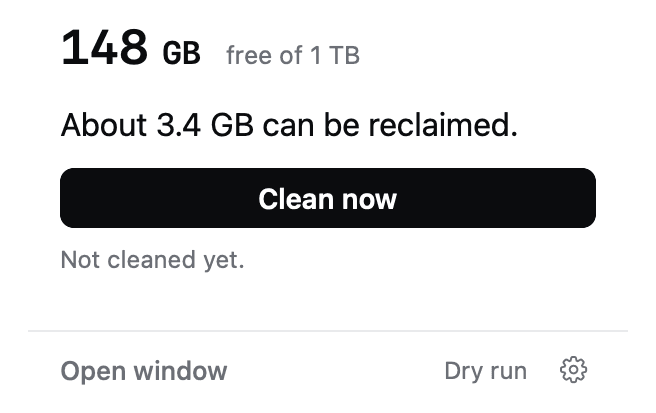
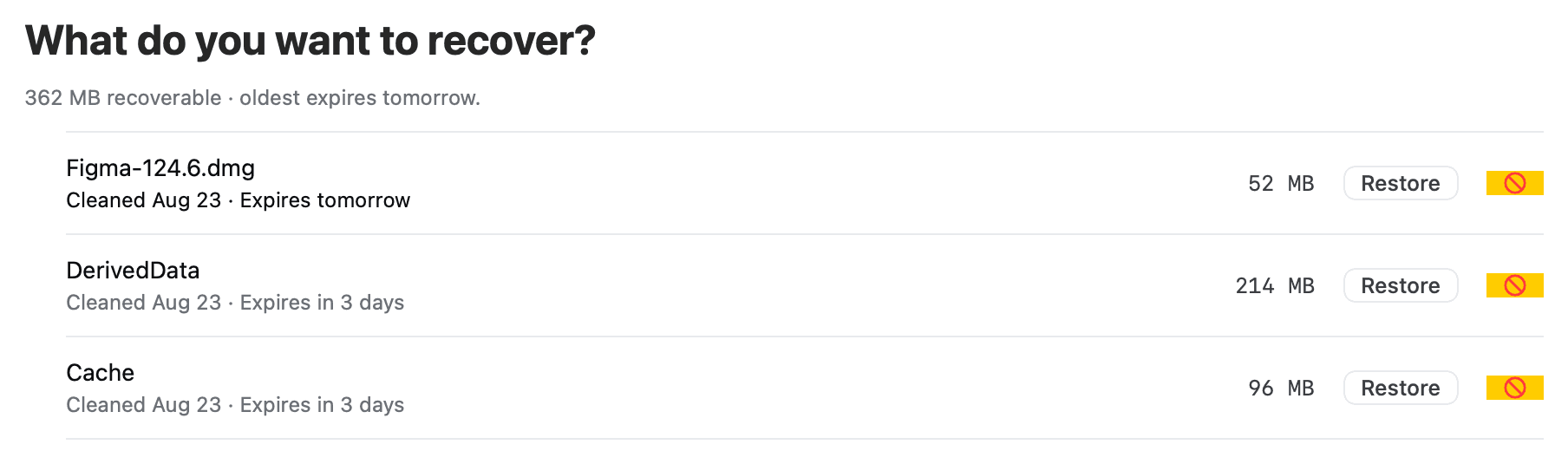
Anything removed is recoverable
Cleared items either go permanently or move to Recovery. Restore any of them for 30 days, with the size and expiry shown against each one.
Free analyzers stop at the easy half
About This Mac reports 210 GB used. Add up what Finder shows you and it comes to 90 GB. The gap is real.
Most free analyzers scan the folder you point them at, and that folder is almost always your home directory.
The unexplained space sits in ~/Library, in old iOS backups, and in the block macOS labels System Data.
Scanning is read-only, so a free scan costs you nothing and risks nothing. Cleaning is a separate decision.
Your files are never eligible
FreeUpDisk can only act on paths on a compiled-in list. Anything else, including anything it does not recognise, is untouchable.
/System, iCloud Drive, Keychains, Mail and running apps are refused even if you ask. There is no advanced mode.
Exactly one function in the core can move or delete a file, and every candidate passes seven checks to reach it.
Free Mac disk space analyzers compared
| Tool | View | Reach | Removes files | Cost |
|---|---|---|---|---|
| FreeUpDisk | Treemap and sorted list | Home, ~/Library, backups, System Data | Caches, logs, old Trash | Free to scan |
| GrandPerspective | Treemap | The folder you point it at | You delete by hand | Free, open source |
| OmniDiskSweeper | Column list | The folder you point it at | You delete by hand | Free |
| macOS Storage settings | One stacked bar | Category totals only | A few suggestions | Built in |
GrandPerspective and OmniDiskSweeper are free with no paid tier. If you want a map and intend to delete by hand, either one does the job well.
Runs on macOS 12 and later
- system
- macOS 12+
- chip
- Apple silicon
- scan
- Free, read-only
- first cleanup
- Free
- status
- Early access
Free disk space analyzers for Mac, answered
What is the best free disk space analyzer for Mac?
GrandPerspective is free, open source and good at drawing a folder you already suspect. For storage you cannot account for, pick on reach instead: the analyzer has to read ~/Library, old iOS backups and System Data, which is where unexplained gigabytes sit. FreeUpDisk scans all of that free and reports it as a sorted list and a map.
Is FreeUpDisk free to use?
Scanning with FreeUpDisk is free, with no limit and no trial window, because scanning is read-only and moves nothing. You can map the whole volume, open every folder and read the complete file list without paying. Cleaning uses credits called Sweepers, and the first cleanup is free.
How do I see what is taking up space on my Mac?
Open the Apple menu, System Settings, General, then Storage. macOS shows eight category totals there. It tells you the shape of the problem and nothing about which files to act on, because those categories are not folders you can open. A disk space analyzer breaks the same volume down file by file.
Why does my Mac say the disk is full when my files add up to much less?
The difference is usually cache files in ~/Library, local APFS snapshots that macOS counts as purgeable, and old iOS device backups. macOS keeps all three out of Finder, so adding up what you can see always comes in low. A Mac reporting 210 GB used with 90 GB visible is the normal shape of this problem.
Can a disk space analyzer read System Data on macOS?
Only with Full Disk Access. System Data is a label rather than a folder, covering caches, logs, swap files, local snapshots and app support data. Without that permission an analyzer reports the space as missing instead of showing you what is inside it.
Why does FreeUpDisk need Full Disk Access?
macOS will not let any application grant itself that permission, which is the point of it. You give Full Disk Access in System Settings under Privacy and Security, and revoking it in the same place stops the deep scan immediately.
Does a free Mac disk analyzer delete anything?
Analyzing never deletes. FreeUpDisk separates the two: the scan is read-only, and cleaning is a second step you choose. When you do clean, FreeUpDisk removes only application caches, logs and Trash older than 30 days on its own. Everything else it finds is shown to you with an explanation and left alone.
More ways to reclaim Mac disk space
Look everywhere, for free
A map of the half you can already see is worth little. The scan that matters reads the other half, and it costs nothing.
macOS 12 or later · Apple silicon