 FreeUpDisk
Mac startup disk full
macOS warns below about 10% free. The space is rarely where you think it is.
macOS 12 or later · one email when it ships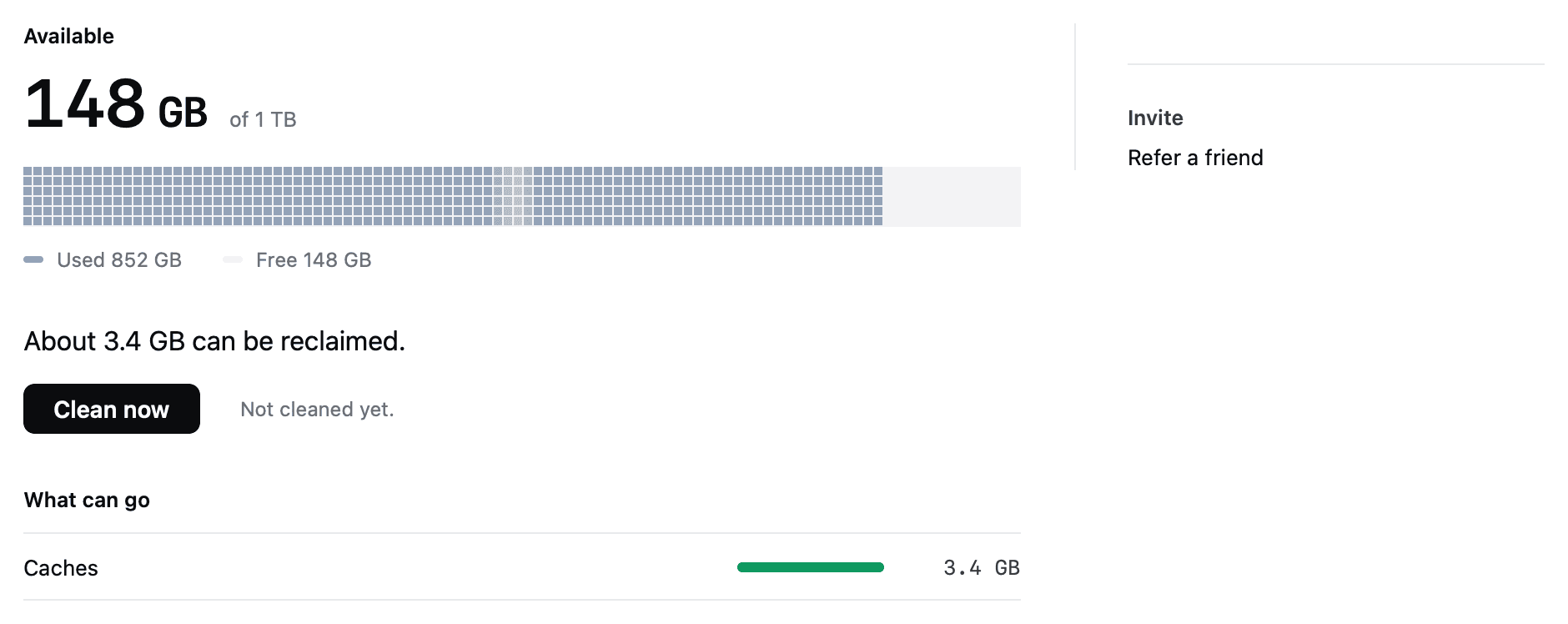
Why FreeUpDisk is safe to install
- permission
- macOS will not let any app grant itself Full Disk Access.
- scope
- Clears three folders. Everything else is off limits.
- recovery
- Removed items stay recoverable for 30 days.
- architecture
- One function in the whole app can delete a file.
- price
- Scanning is free. No account needed to clean.
Where a full startup disk goes
A 512 GB volume with 18 GB left. Solid green is cleared automatically; hatched green is found and left for you.
Illustrative breakdown of a typical full Mac, not a measurement of yours. Photos, video and documents are excluded from cleanup by a hardcoded rule.
Clear a full startup disk in this order
Cheapest and safest first. Most Macs are back over the line by step three.
| Step | What to do | Why it works | Typical win |
|---|---|---|---|
| 01 | Empty the Trash | Deleted files hold their space until the Trash is emptied. | Seconds |
| 02 | Clear old installers from Downloads | Sort ~/Downloads by size. Disk images for software you already installed are dead weight. | 2-15 GB each |
| 03 | Remove local Time Machine snapshots | macOS keeps hourly snapshots on the internal disk and reports them as purgeable. | Often 20 GB+ |
| 04 | Clear application caches | Everything in ~/Library/Caches rebuilds itself. Apps you deleted left folders behind. | 10-30 GB |
| 05 | Delete old iOS device backups | Backups in MobileSync outlive the phones that made them. | 8-40 GB each |
| 06 | Move media to an external drive | Photo libraries and video projects are the largest honest number on most Macs. | Varies |
Win sizes are ranges commonly seen on full Macs, offered as examples. Your scan reports the real figures for your machine.
It keeps you above the line
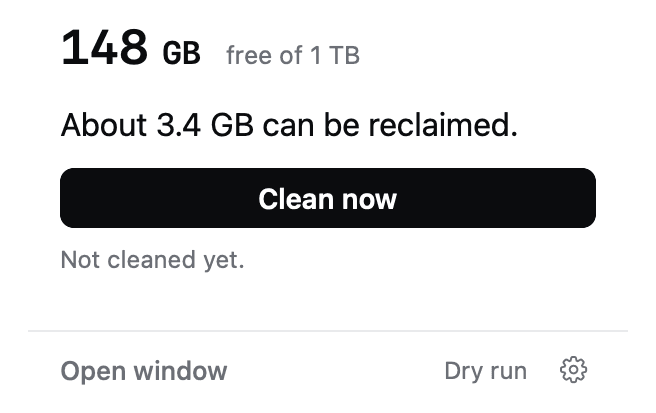
One button, from the menu bar
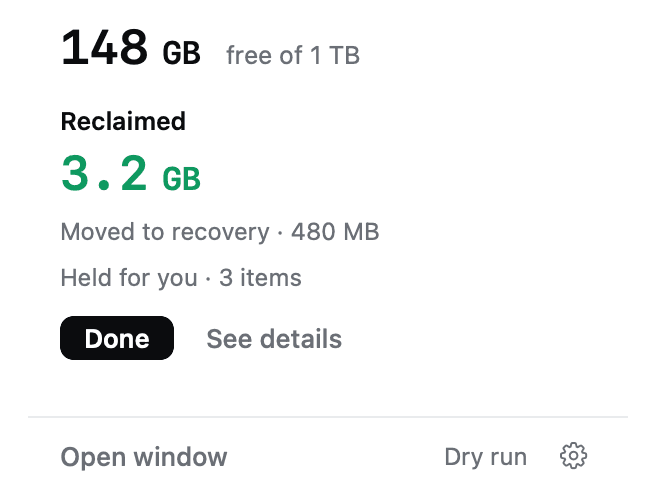
The popover shows free space and what is reclaimable. Press Clean now and the safe pass clears caches, logs and old Trash while you carry on.
Recovery holds everything for 30 days
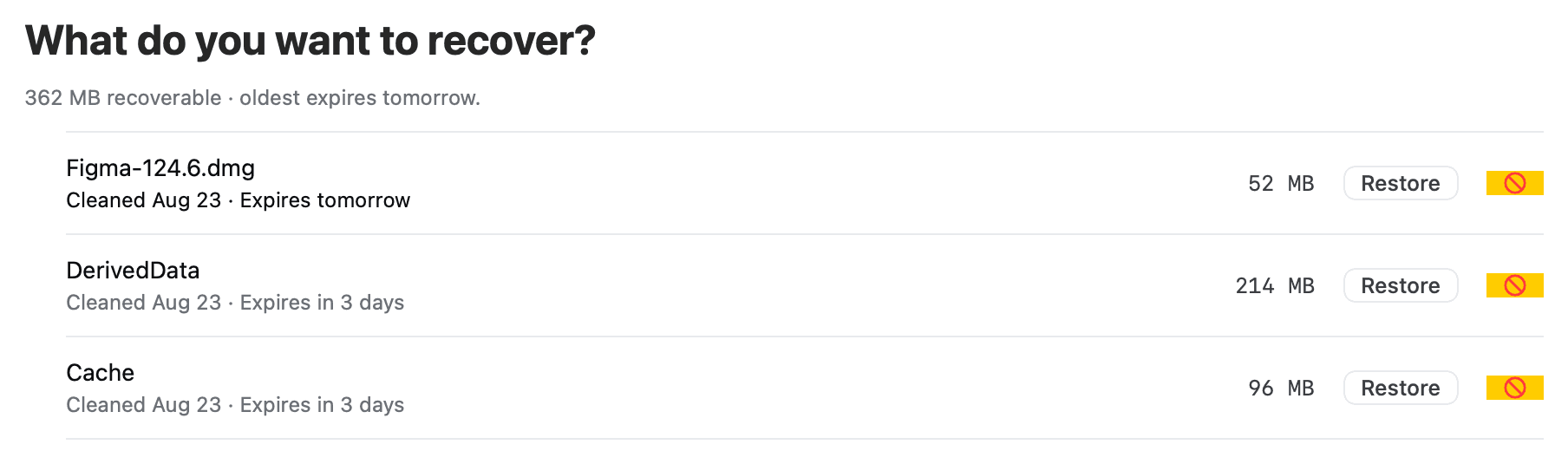
Cleared items either go permanently or move to Recovery. If a cleanup on a full disk turns out to have taken something you wanted, restoring it is one click.
Deleting files often frees nothing
The warning fires at roughly 10 percent free, because macOS needs headroom for swap, updates and snapshots.
Emptying the Trash often frees nothing, because the data is still inside a local APFS snapshot.
Caches and logs refill every week, so a manual cleanup buys a few months and then repeats.
FreeUpDisk clears those three folders on a schedule, so the disk stops creeping back over the line.
Your files are never eligible
FreeUpDisk can only act on paths on a compiled-in list. Anything else, including anything it does not recognise, is untouchable.
/System, iCloud Drive, Keychains, Mail and running apps are refused even if you ask. There is no advanced mode.
Exactly one function in the core can move or delete a file, and every candidate passes seven checks to reach it.
Runs on macOS 12 and later
- system
- macOS 12+
- chip
- Apple silicon
- scan
- Free, read-only
- first cleanup
- Free
- status
- Early access
Mac startup disk full, answered
Why does my Mac say the startup disk is full?
macOS shows the startup disk warning when the boot volume falls below roughly 10 percent free, because macOS needs that headroom for swap files, system updates and local snapshots. The space is usually held by cache files, local APFS snapshots, old iOS backups and installers sitting in Downloads rather than by documents you would recognise.
How much free space does a Mac need?
A Mac needs at least 10 percent of the volume free, and closer to 20 percent if you edit video or run virtual machines. Below 10 percent macOS starts refusing updates, apps fail to save, and the machine slows down as it runs short of room for swap.
I deleted files and the startup disk is still full. Why?
Local APFS snapshots are the usual reason. macOS keeps a copy of recently deleted data on the internal disk so it can restore between Time Machine backups, and that space stays claimed until the snapshot expires. Emptying the Trash does not touch snapshots, which is why a cleanup can appear to do nothing.
What is purgeable space on a Mac?
Purgeable space is storage macOS believes it can reclaim on demand: local snapshots, caches, and files already synced to iCloud. Storage settings count purgeable space as available while Finder counts it as used, which is why the two parts of macOS disagree about the same disk.
Is it safe to delete cache files on a Mac?
Yes for application caches in ~/Library/Caches, which apps rebuild the next time they run. Leave /System and /Library/Caches alone. FreeUpDisk clears only the caches it can identify by owning app, refuses to touch a cache whose app is currently running, and leaves anything it cannot recognise in place.
Does FreeUpDisk delete snapshots and backups automatically?
No. FreeUpDisk clears three things on its own: application caches, logs, and Trash older than 30 days. Local APFS snapshots, iOS device backups and Downloads are found by Deep Scan, itemised with sizes and dates, and left in place until you decide. Nothing large is removed without you.
How do I stop the startup disk filling up again?
The space comes back because caches, logs and Trash accumulate whether you watch them or not. FreeUpDisk runs its safe pass on a schedule, daily, weekly or monthly, so those three folders get cleared as they refill. Everything it removes stays in Recovery for 30 days.
More ways to reclaim Mac disk space
Get back over the line
Caches, logs and old Trash cleared on a schedule, and everything larger itemised for you first. Free to scan.
macOS 12 or later · Apple silicon